
How I manage client projects as a freelancer
The setup I use to take a client from first enquiry to signed proposal to finished project, without copying anything between tools.
When you work alone, every client job is really five jobs: answering the enquiry, keeping their details straight, chasing the deal, writing the proposal and then doing the work.
I used to run those across a contact form, my email, a spreadsheet, a document editor and a to-do app, and something always fell through the gaps.
Here's how I run the whole thing in 53° now, step by step, so each stage hands over to the next one by itself.
Start with a form, not an email address
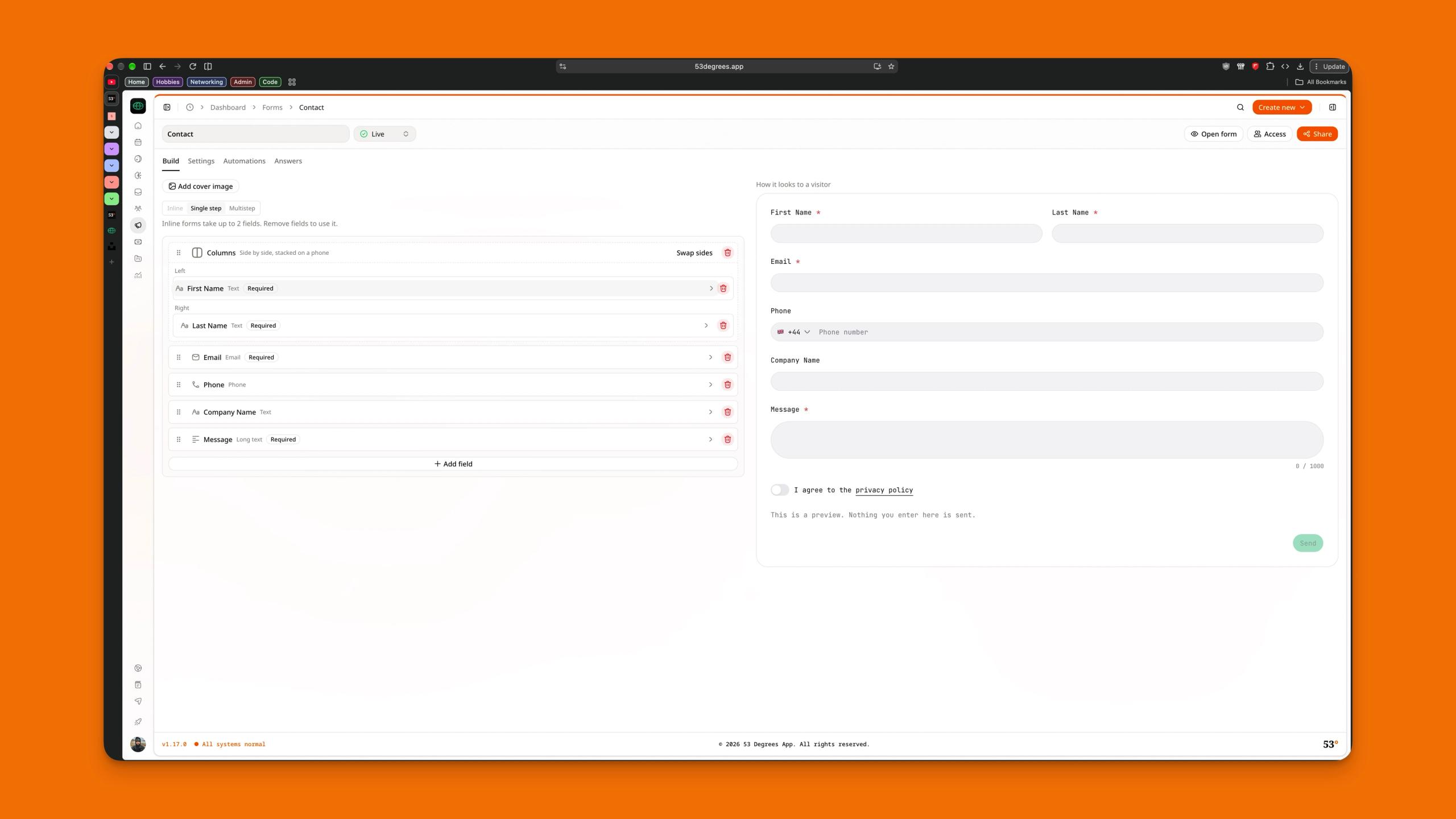
Every new piece of work starts with a form on my website. A form asks for what I need from the start: name, email, company, budget and what the project is. I don't have to send three emails to find out.
53° gives you a Contact form to start from. I changed the questions, made it live and pasted the embed snippet into my site. You can also share its link in your email signature or your social bio.
Answer every enquiry from one inbox
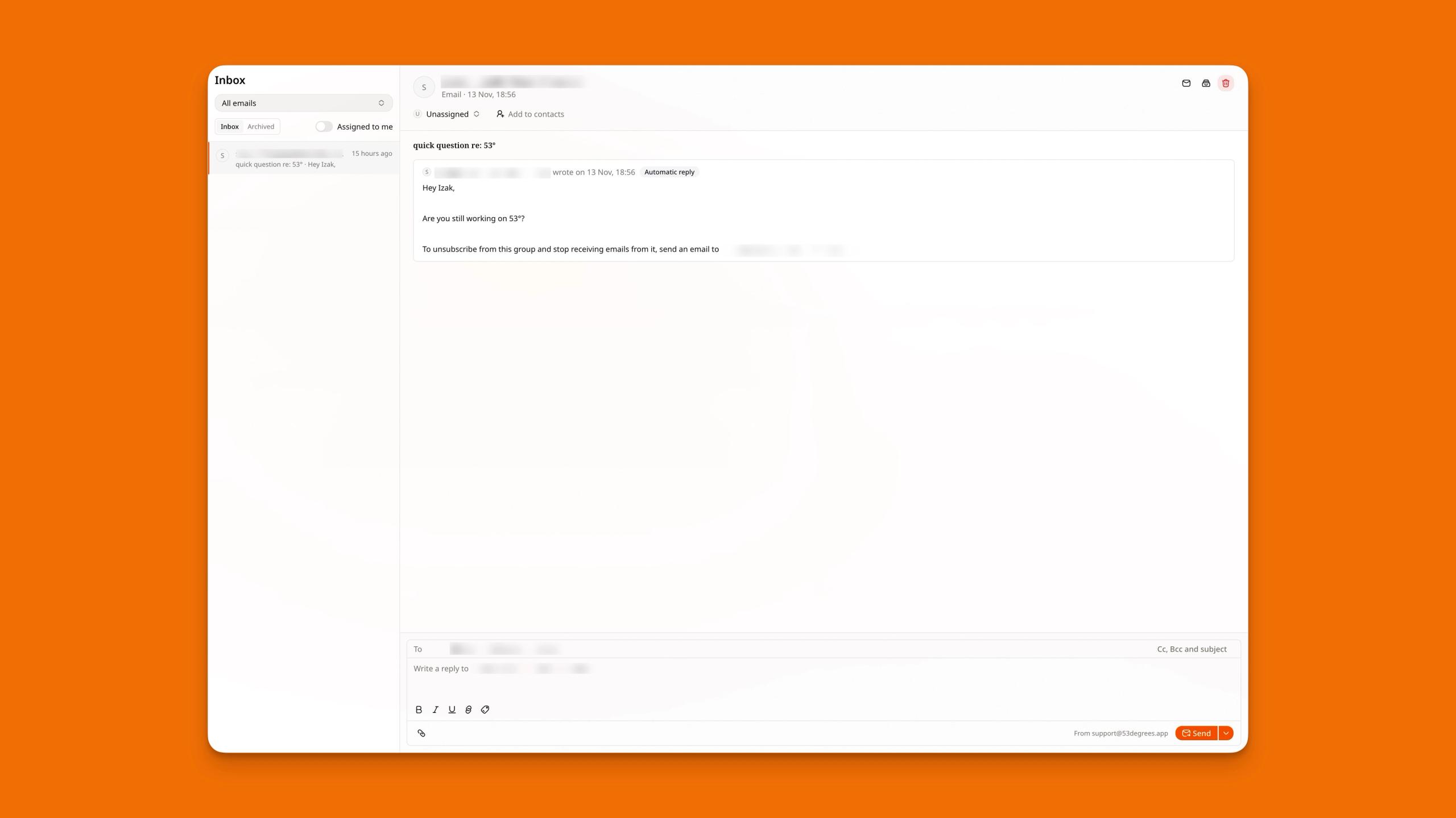
Responses go straight to the Inbox, not my personal email. I can read the answers, see any files they attached and reply right there.
I reply from my organisation's own address, so the client gets a proper email with my signature and logo, and I can see whether it was Delivered, Opened or had a Link clicked.
The whole conversation stays with the response. When I come back to it a week later, I'm not digging through my email to find it.
When I've dealt with an enquiry, I archive it. Inbox shows only what still needs me.
Let your contacts build themselves
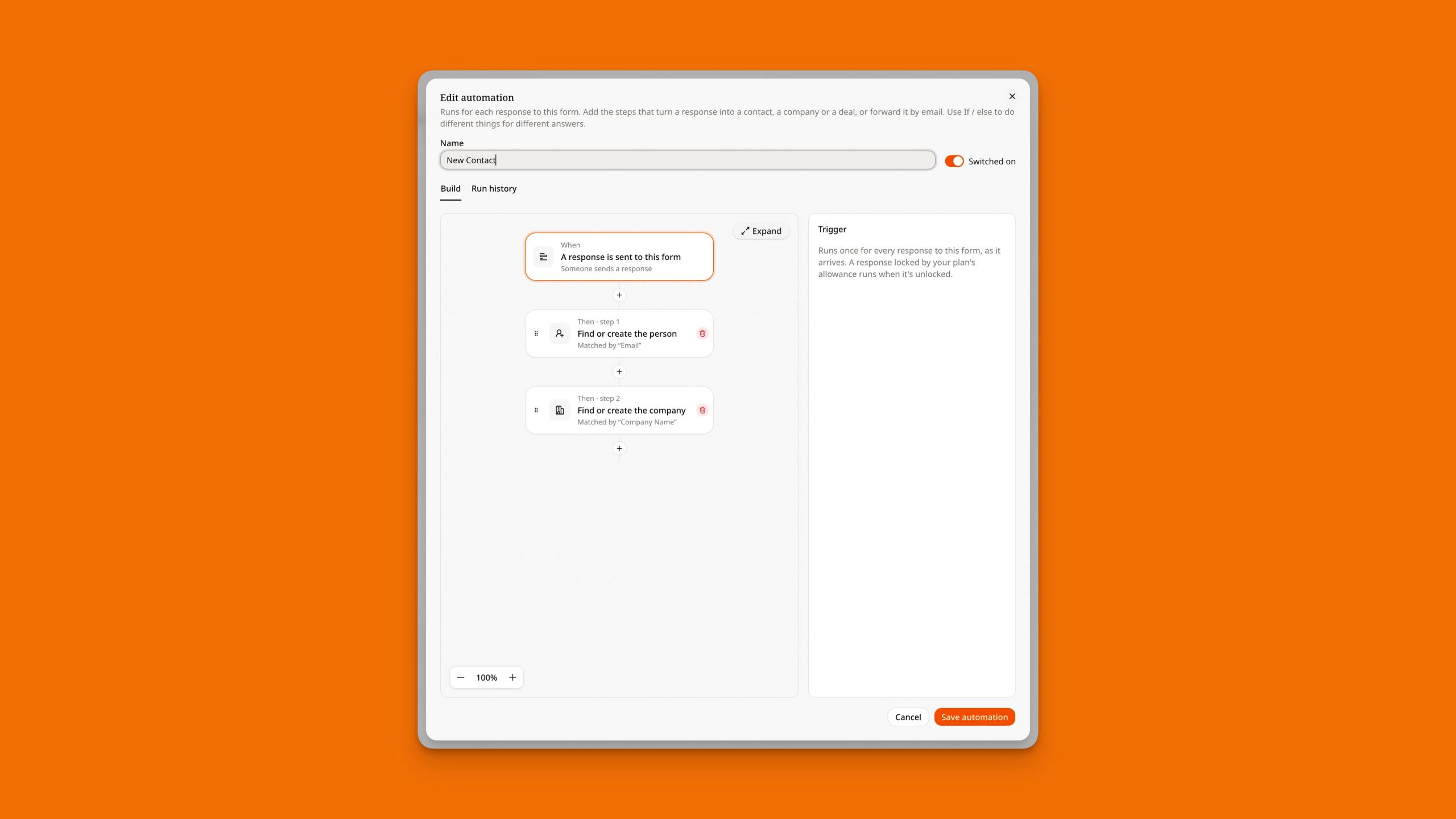
I used to copy names from emails into a spreadsheet. Now the form's automation does it.
The Contact form comes with an automation called New Contact. When a response arrives, it finds or creates the person and their company and links them, so the person shows up as working at that company.
If they're already in my contacts, it uses the record I already have and doesn't create a duplicate.
Each contact's page then collects everything about them as it happens: their details, my notes, and under Related, every deal and project I've had with them.
When a past client gets back in touch, their whole history is on one page.
Track every enquiry as a deal
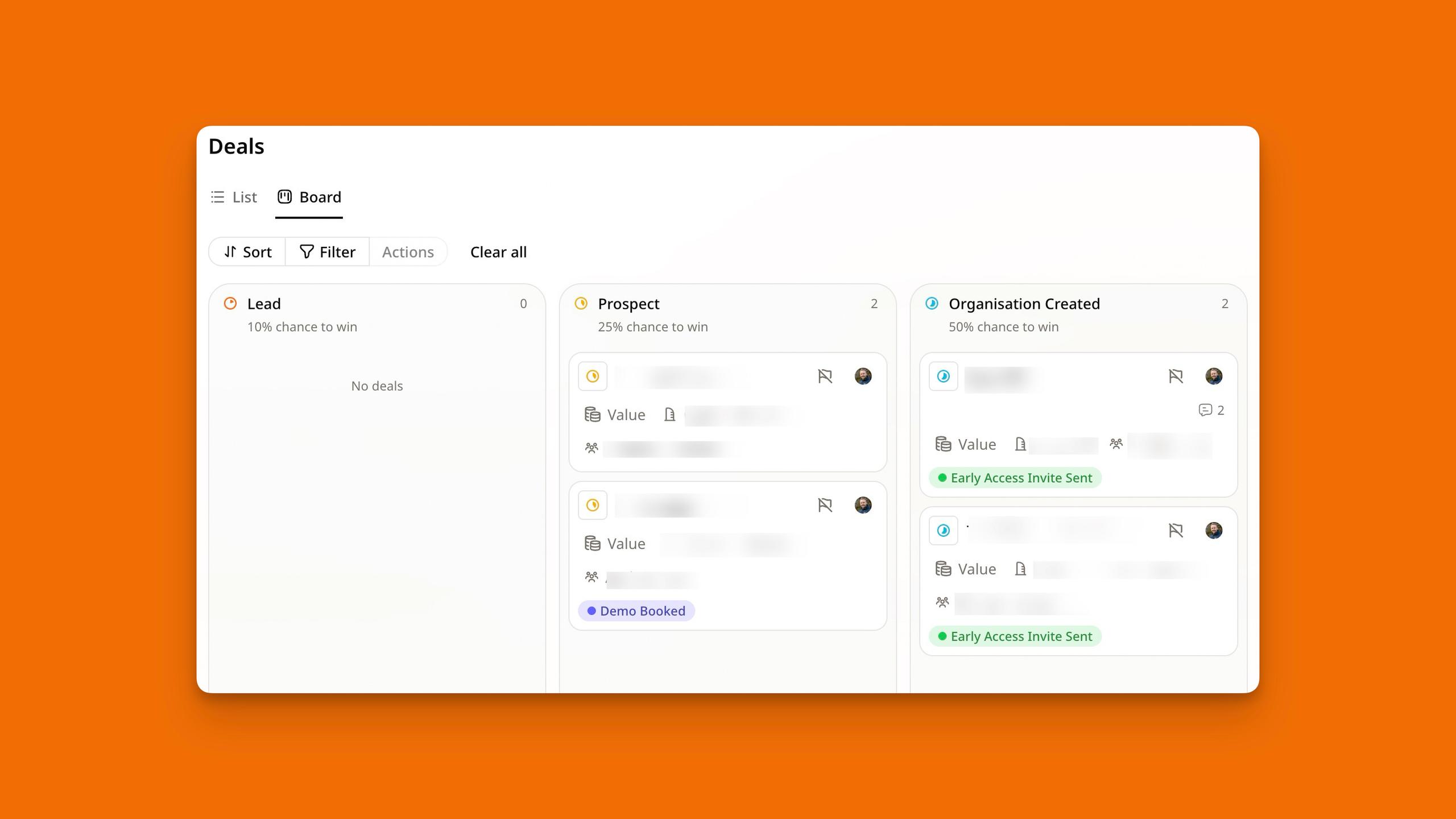
An enquiry isn't work until it's won, so every one becomes a deal. I added a Create a deal step to the form's automation, which puts the deal in my first stage with the person and company already linked.
I keep my pipeline short: Enquiry, Call booked, Proposal sent, Won and Lost.
The Board shows a column for each stage with the number of deals and their total value at the top, so I can see what's likely to come in next month at a glance. When I lose one, I pick a reason.
After a few months those reasons tell me which kinds of work to stop chasing.
Send a proposal they can sign online
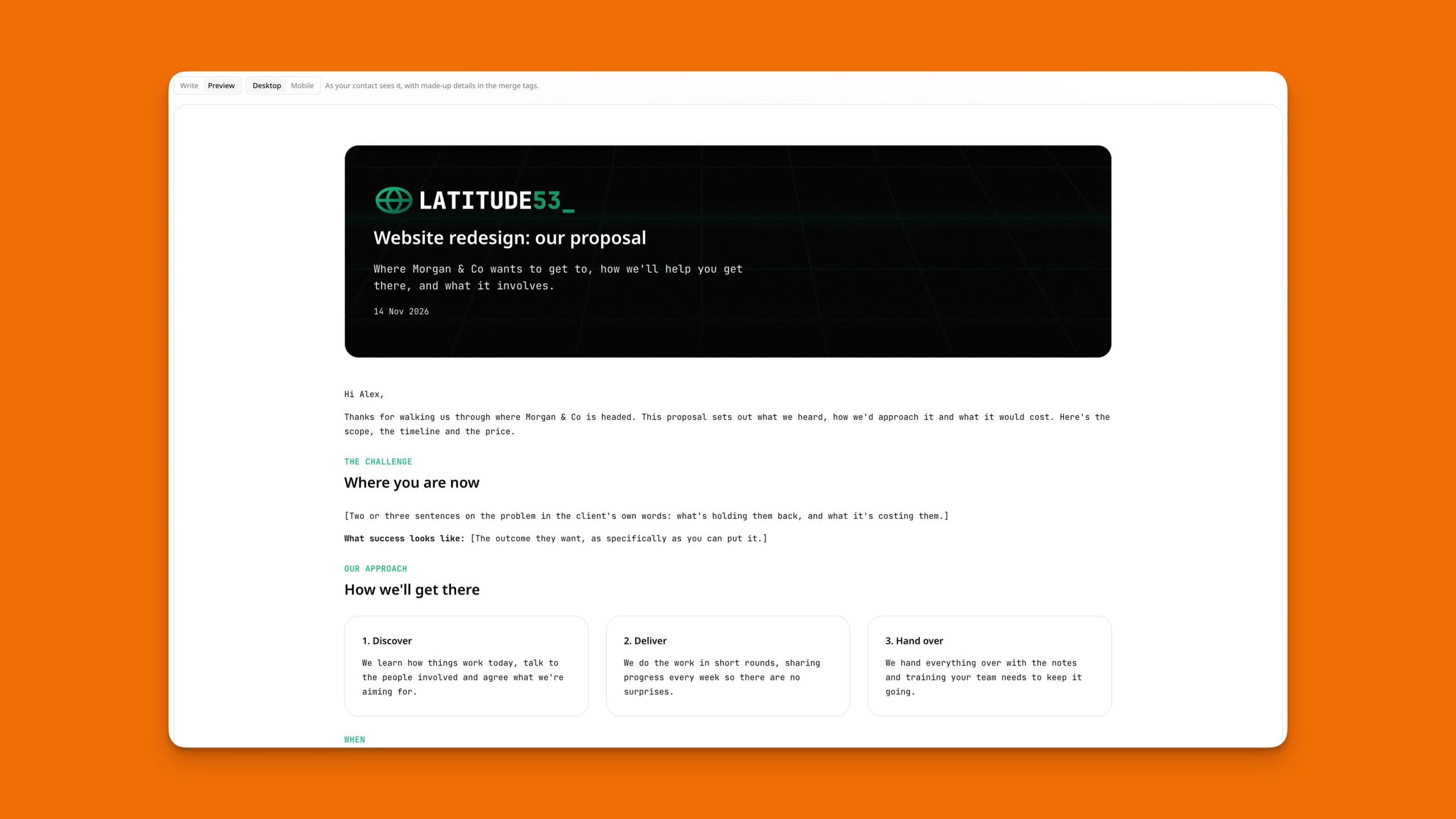
Once I've had the call, I write the proposal from the deal. I don't start from a blank page. I start from a template with my usual sections, prices and wording.
Pricing is where it does a lot of the work:
- Fixed line items for the core work, priced by the day, the hour or as a fixed fee
- Add-ons the client can tick, such as extra revisions or a rush turnaround
- Choices between options, such as three support plans, where they pick one
The client opens the link, picks their options, types or draws their signature and signs. The proposal then shows what they actually agreed to, add-ons included.
When you send a proposal, turn on Start a project when this is signed and pick a project template. The moment the client signs, the deal moves to Won, takes the signed total as its value, and the project is created and ready for you.
Run the project from a template
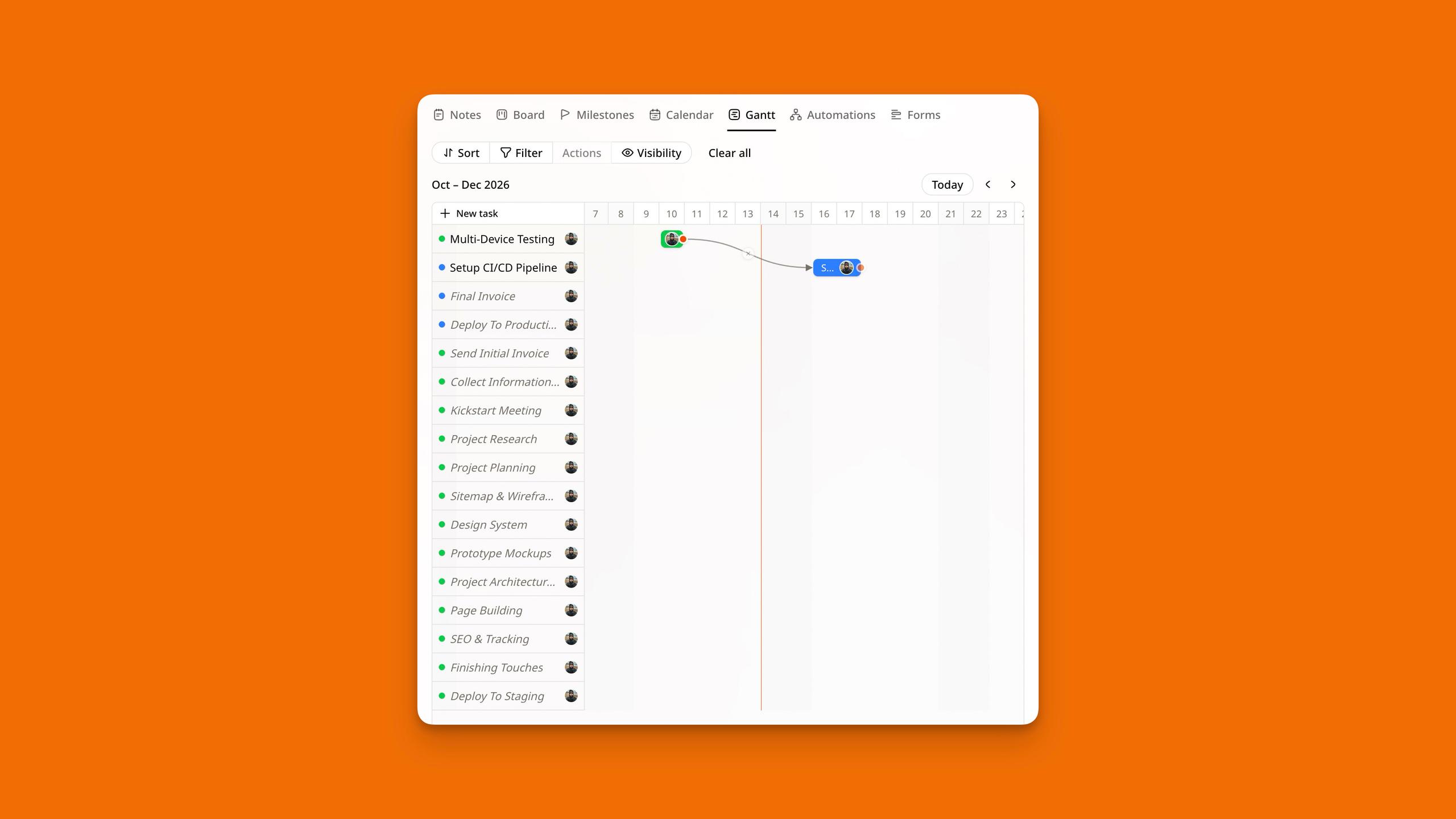
Most of my projects follow the same shape: discover, design, develop, launch, iterate. I saved one as a template, so a new project starts with every key milestone, task and dependency already in place.
Inside the project I switch views depending on what I need:
- Milestones for the plan, with the tasks grouped under each phase
- Board for what's in progress today
- Calendar for deadlines, where I drag a task to change its due date
- Gantt when a client asks "what happens if this slips?"
The project's Notes hold the brief, and its files and docs sit with the work they belong to, not in a folder somewhere else.
Bring your client in as a guest
This is the part clients notice. Instead of sending status updates by email, I invite the client into the project as a Guest.
A guest sees only the projects you add them to. They can:
- read the tasks and comment on them
- open the docs and files attached to their work
- chat with you in the project's chat
- fill in the project's forms
They can't see your other clients, your contacts, your deals or your inbox. They can't change the plan either, so the plan stays mine and the conversation happens beside it.
I give each project an onboarding form, built on its Forms tab, asking for logins, brand assets and access. The client fills it in from inside the project, and the answers are filed with that project.
Invite a guest from Manage organisation → Members, choose the Guest role, then add them to the project.
Let automations do the chasing
Most of what I used to forget was follow-up.
Now automations handle it:
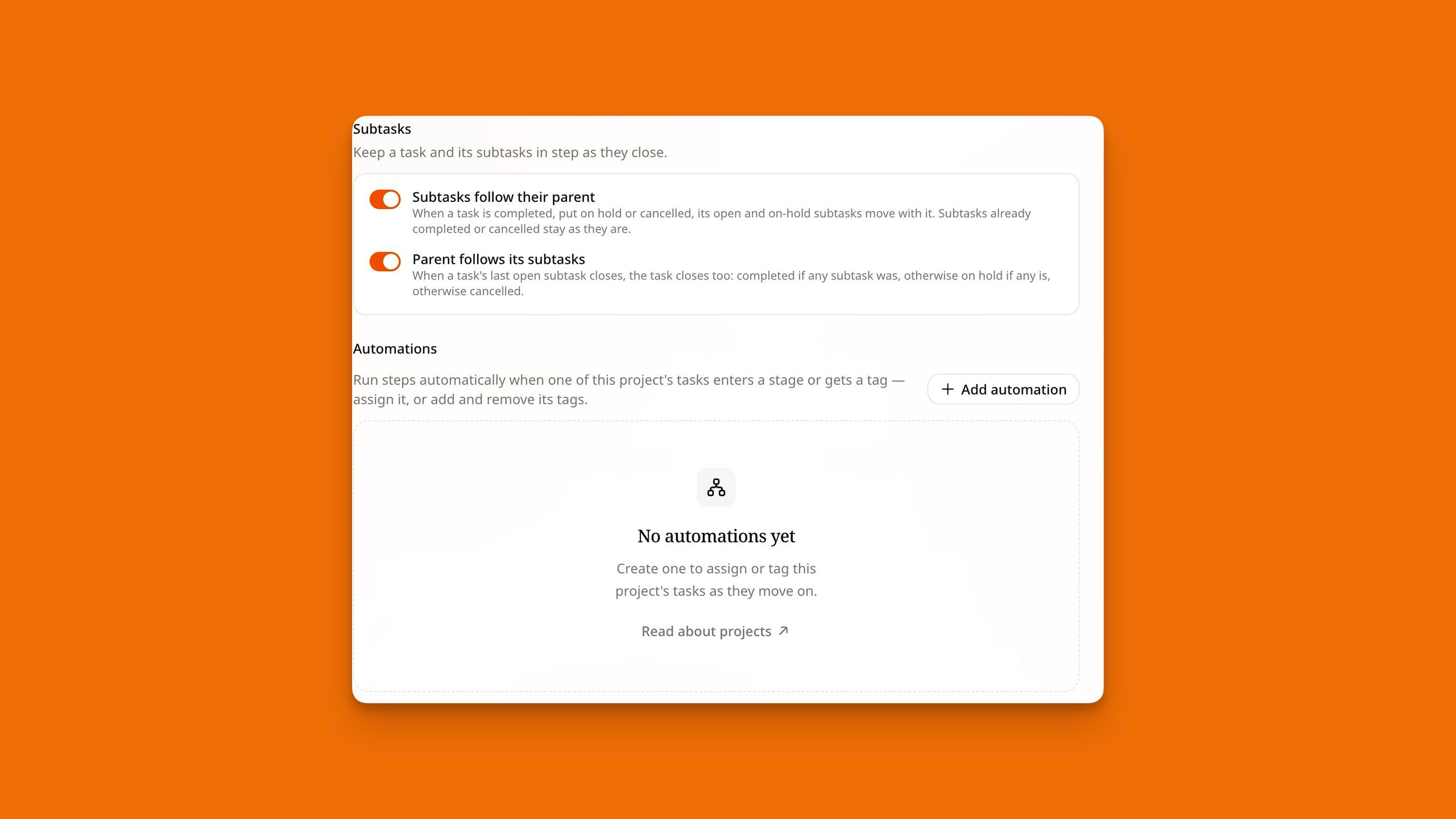
- When a proposal is sent, wait three days, then create a task to follow up. If the client signs first, the deal moves to Won and the follow-up never happens.
- When a deal enters Won, set the company's lifecycle to Customer and create a kick-off task for the next day.
- When a deal enters Lost, add a tag so I can check in with them in six months.
- In each project, when a task is completed, its subtasks close with it thanks to automations, and when the last subtask closes, so does its parent task.
Each automation is a few steps on a canvas, with Wait and If / else when I need them. They run in the background, so I don't think about them until I see the task they created.
The whole path, in one place
Put together, one enquiry runs like this: the form creates the contact and the deal, I reply from the inbox, the proposal wins the deal and starts the project, the client follows along as a guest, and automations fill the gaps in between.
Set up each stage so it hands over to the next one. You only do the work that needs you: the call, the proposal and the project itself.
If you're going to set up one thing this week, make it the form. Every other step builds from it.
Get our newsletter
Guides & ideas for running your business, plus what's new in 53°.
Full-stack developer and UX designer. I founded Leeds studio LATITUDE53 in 2018 and co-founded 53°, software that helps founders get more done.
Featured posts

We limited the planner to one week. We were half right.
When we built the planner in 53°, we capped it at one week ahead. The reasoning was simple. A short window keeps you on what's next, not on a backlog that never shrinks. That part held up. The limit part didn't.
IIzak Jackson2 min read
What is a Moonshot?
A Moonshot is one big business goal, defined by a number and a date. 53° turns it into a roadmap of Missions, with three live at once and quarterly reviews to keep today’s work connected to your ambition.
MMarc Wise2 min read